
Graphing calculator apps make it easier to plot equations, explore functions, solve problems, and visualize mathematical ideas from a phone or tablet.
These three options cover intuitive graphing, interactive math tools, and a calculator-style experience for students and anyone working with equations.
Quick Comparison
| # | Graphing Calculator App | Best For | Rating | Reviews | Installs |
|---|---|---|---|---|---|
| 1 | Graphing calculator plus 84 83 | Calculator-style graphing | 4.60★ | 1.8K+ | 1M+ |
| 2 | Desmos Graphing Calculator | Interactive graphing | 4.50★ | 1.7K+ | 5M+ |
| 3 | GeoGebra Graphing Calculator | Graphing & geometry | 4.30★ | 286+ | 10M+ |
1. Graphing calculator plus 84 83
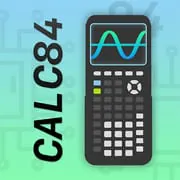
This app combines graphing with a TI-84-style interface. It supports multiple function types, equation solving, statistics, regression, integrals, and symbolic derivatives.
Best for: Advanced calculator features | Standout: TI-84-style layout
Download & View DetailsInstalls1M+Rating4.60★Reviews1.8K+
2. Desmos Graphing Calculator
Desmos offers fast interactive graphing for Cartesian, polar, and parametric equations, plus sliders, tables, statistics, inequalities, and scientific-calculator functions.
Best for: Interactive graph exploration | Standout: Sliders and dynamic graphs
Download & View DetailsInstalls5M+Rating4.50★Reviews1.7K+
3. GeoGebra Graphing Calculator
GeoGebra combines graphing with algebra, geometry, calculus, and statistics. It supports 2D and 3D graphing, interactive sliders, regression tools, and special-point analysis.
Best for: Graphing & geometry | Standout: Integrated math tools
Download & View DetailsInstalls10M+Rating4.30★Reviews286+
Which Graphing Calculator Should You Try?
Graphing Calculator Plus 84 83 focuses on a familiar calculator-style experience, Desmos emphasizes interactive graphing, while GeoGebra brings graphing together with geometry, algebra, calculus, and statistics.









